
Registering
When a user sets visit our website, or wishes to join, they should register an account. This will enable them to maintain a consistent identity while posting and keep track of what they have read, no matter where they are working from or what computer they are using. They will be able to fill out a personal Profile and use the built-in Personal Message system. They will also be able to subscribe to e-mail notifications, monitor their website activity and more.
When and how do we register?
Generally, our website have the option to restrict access to all or certain sections, allowing only registered members to access all content. A visitor should register to participate in the website content and discussions, to visit it regularly, and most importantly, to have access to all sections and benefits offered by MODS.vg
A visitor is a person or web spider who is not logged in to the website. Once registered, that visitor becomes a member, otherwise they will only appear as a visitor until they log in.
Members have access to the profile, options to receive notifications, things that are not available to visitors. However, the options may vary, depending on the settings that the Site Administrator has established. Members can also be placed in groups, made moderators or even administrators. They can receive various permissions with which they can access areas of the site, otherwise prohibited for visitors or other members. A member will have the ability to send and receive messages, receive emails from the administration. They can open topics, conduct surveys and many other benefits available to members.
A visitor can register at any time by selecting the Register option from the main menu.
The Registration Screen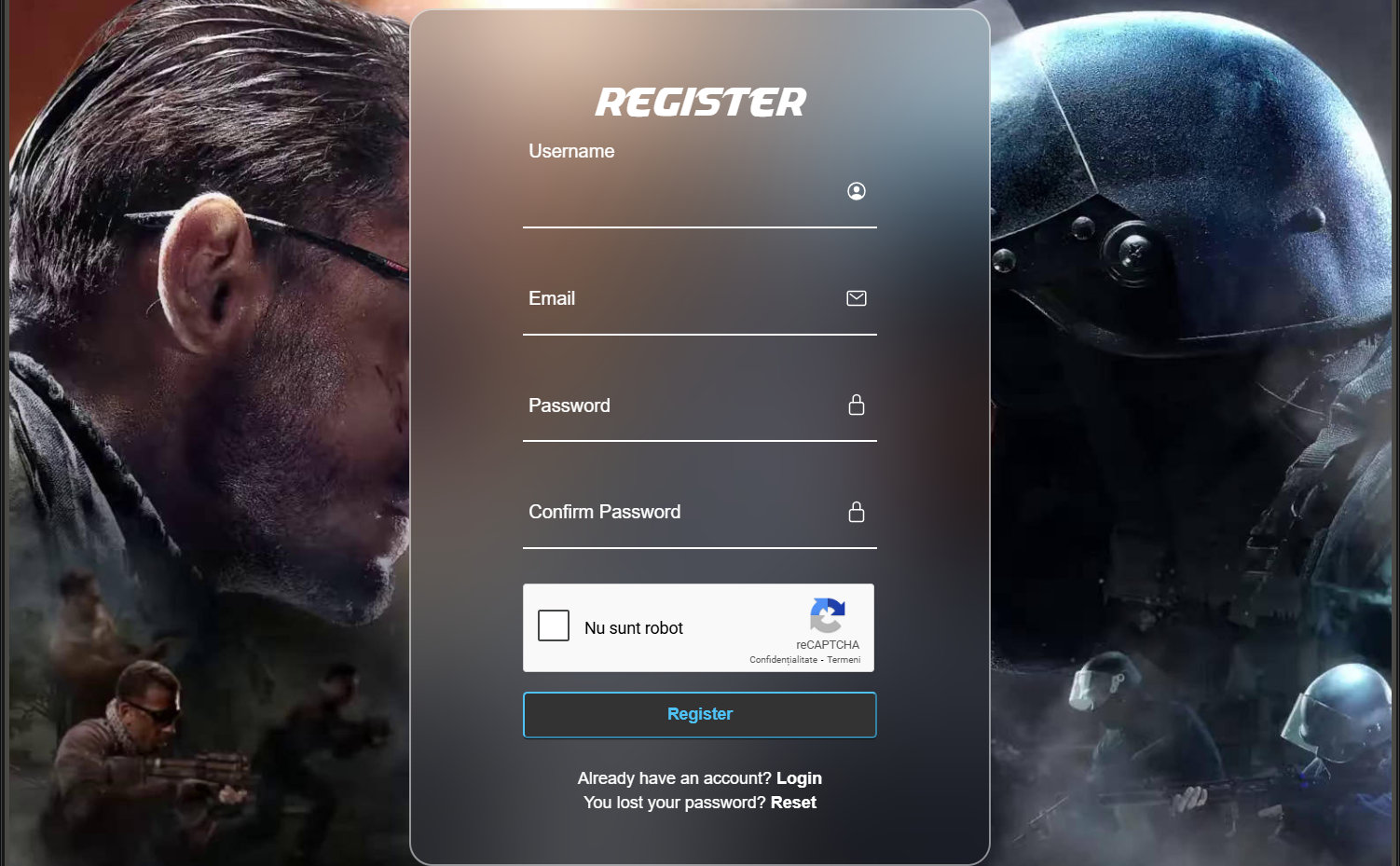 Most websites require a guest to accept a registration agreement before the registration process can begin. By checking the option I Agree, a guest consents to comply with the agreement throughout the duration of their membership. We may also incorporate a minimum age into the agreement process. If not that means you already read our terms and conditions.
Upon arrival at the registration screen, a guest is requested to enter a username and a valid email address. Failure to use a valid email address may hinder registration, depending on how we set up registration form.
A form of visual verification may be present in order to confirm that a guest is actually a person and not a bot. This verification may be requested in two ways - CAPTCHA and custom questions. The CAPTCHA method displays an image containing a random collection of letters, which a guest must enter into a text field. The custom questions method displays one or more relatively simple questions, which a guest must answer correctly. We may be configured to use both methods at the same time.
Once a guest completes the registration form, there are three possibilities for what is displayed next based on how the site is configured.
- Login - If registration is immediate, the new member will be automatically transfer to login page.
- Activation - If a message about email activation is displayed, the new account must first be activated before login. An email with instructions how to proceed is sent to the new member's email address.
- Approval - If a message about member approval is displayed, the new account must first be approved by an administrator before login. An email acknowledging the new member is sent to their email address. Another email may be sent later to inform them whether or not their application has been approved.
Activating a New Account
If our site is configured to require email activation before login, an email will be sent to the email address provided at registration. The username and activation link are displayed in this e-mail. Selecting the activation link activates the member's account and prompts them to login. If a problem occurs with the activation link, the email also provides an activation code that can be used to complete the process. Note that a link to reset the password may be included in this e-mail, depending on the activation method enabled on the site.
If a member attempts to login before completing the activation process, an error will be displayed noting that their email address must be validated. A Need another activation email? link is also displayed in case the email has somehow been lost.
We also offer manual aprove if you can't reach out the activation link, send us an email from the email used in registration and we will aprove your account in next few days. Our email: contact@mod.vg


 Report page
 Donate for creator
Favorites (0)
Add this page in your favorites list
Related pages
- More pages by submitter (13)
- More pages (15)